Creative work burns through assets faster than any other discipline. One brand project can need six fonts, four mockups, a dozen vectors and a stock video. One YouTube channel gets through motion templates, music beds and B-roll every single week.
Bought separately, the subscriptions add up fast. A stock video library, a photo and vector library, a template marketplace and a motion pack easily pass $100 a month — roughly ₹8,400 — before you have touched an SEO or AI tool.
A design tools group buy solves that by splitting premium creative subscriptions across many members, so each person pays a small monthly share and reaches the whole set from one dashboard.
This guide covers exactly what a creative plan includes, what stock media and template libraries genuinely cost, how commercial licensing works, and which setup fits your kind of work.
Prices appear in both USD and INR. The licensing section in particular is worth reading before you use anything on paid client work.
 WebToolz Team• Updated 26 August 2026 • 15 min read

DISCLAIMER: WebToolz is an independent platform and is not affiliated with, endorsed by, or sponsored by any creative software vendor or asset marketplace referenced on this page. All product names are trademarks of their respective owners and appear only to describe categories of creative work.
WebToolz does not resell any vendor’s subscription. Licensing terms vary by asset and by plan — read section 8 before using anything on paid client work.
A design tools group buy is a shared-access model for creative software and asset libraries. Premium subscriptions are purchased centrally and split across many members, so each person pays a small monthly share instead of the full licence.
You do not receive a password. Access runs through a member dashboard and a browser extension that opens an authorised session, so your downloads and project history stay in your own session.
SEO tools are consulted. Creative assets are consumed. A designer might open a research tool twice a week but download forty files in the same period.
That consumption pattern is exactly what makes individual creative subscriptions expensive and a design tools group buy economical. You are not paying for occasional access to one platform — you are paying for continuous access across several.
It is not a free download site, and it is not a source of pirated or watermark-stripped files. Members download from real, paid subscriptions through legitimate sessions.
It is also not a substitute for an extended or enterprise licence when a project genuinely needs one. Section 8 covers exactly where that line sits.
What unites them is volume. They all need more assets than a per-item purchase model can sensibly cover.

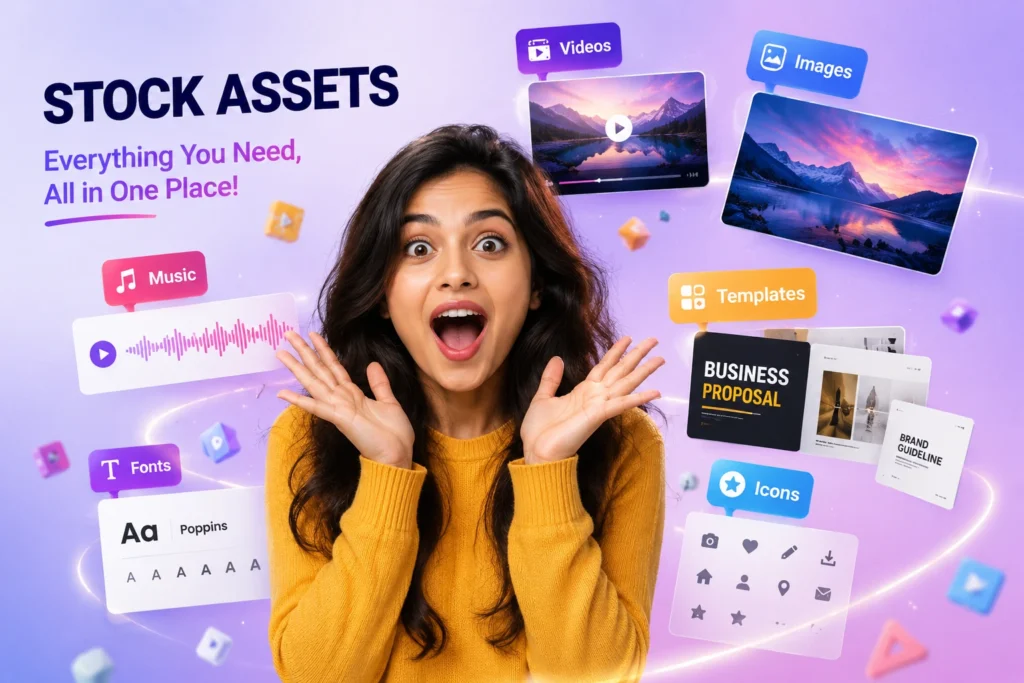
A design tools group buy is only worth what it covers. Here are the categories a serious design tools group buy should include, and what each is actually for.
B-roll, establishing shots, drone footage and cutaways. The category most likely to blow a budget, because a single premium clip bought individually can cost more than a month of shared access.
After Effects and Premiere projects, lower thirds, transitions, title sequences and animated logos. What turns a raw edit into something that looks produced.
Commercial photos for websites, ads, decks and social. Volume matters here more than anywhere — you often review fifty images to use one.
Icon sets, spot illustrations, backgrounds and infographic elements. The backbone of most web and presentation design.
Commercial-licensed typefaces, which are one of the most commonly misused asset types in freelance work. Section 8 explains why that matters.
Device frames, packaging, apparel and print mockups. Essential for presenting client work convincingly.
Themes, landing page kits, UI components and deck templates. Often the single biggest time saving in the whole plan.
Licensed audio beds, stings and effects. Frequently forgotten until a video is finished and cannot be published.
Increasingly bundled alongside traditional stock. Useful for concepts and variations, though not yet a replacement for real footage in most client work.
Our group buy AI tools page covers the generative side in more detail.
List the three asset types you downloaded most last month. Check any design tools group buy plan against that list before subscribing. Forty libraries you never open are worth less than three you use weekly.
Here is what a design tools group buy replaces, priced individually. Figures are approximate monthly rates converted at roughly ₹84 to the dollar, before taxes and card charges.
| Asset category | USD / mo | INR / mo | Who needs it |
|---|---|---|---|
| All-in-one asset marketplace | ~$33 | ~₹2,770 | Almost everyone |
| Stock video library | ~$30 | ~₹2,520 | Video editors |
| Motion graphics pack | ~$25 | ~₹2,100 | Editors, creators |
| Photo & vector library | ~$15 | ~₹1,260 | Designers, marketers |
| Premium stock photography | ~$29 | ~₹2,440 | Agencies, brands |
| AI image generation | ~$20 | ~₹1,680 | Concept work |
| Full creative stack | ~$152 | ~₹12,770 | One shared plan |
Subscription maths is only half the story. Bought individually, a single premium motion template runs $30–$80. One licensed font family can be $50–$200. A premium 4K clip is often $80 or more.
Two motion templates and a font family in one month already exceed the cost of a whole year of shared access. That is the arithmetic driving design tools group buy demand.
If you need four assets a year, buy those four. Nothing beats a one-off purchase for genuinely occasional use, and you get a clean licence in your own name.
The break-even sits around six to eight downloads a month. Above that, shared access is cheaper by a wide margin.
Current plans are on the WebToolz pricing page.
“Designers do not consult their tools. They consume them. That is why creative subscriptions cost what they do.”
— WebToolz Team
Video is the most expensive category in any design tools group buy, and the one where shared access saves the most.
A single premium 4K clip commonly costs $80. A ten-minute YouTube video might use six. That is $480 of footage for one upload, on a channel that may not earn that in a month.
Weekly publishing at those rates is simply not viable, which is why video creators were among the earliest adopters of shared creative access.
People search for stock video downloaders constantly, and most results point at watermark-removal tools. Skip those entirely — they produce degraded files, they breach the vendor terms, and a watermark-stripped clip in a client deliverable is a genuine liability.
Legitimate access through a paid session gives you the clean, full-resolution file with the licence attached. That is the difference worth paying for.
Video-first libraries differ mainly in catalogue depth and how motion templates are organised. Before choosing a plan, check whether the templates match your editor — an After Effects project is no use if you edit in Premiere or Resolve.
Our Vecteezy group buy guide covers the vector and video-element side in more depth.
The highest-volume category in any design tools group buy. Designers routinely review dozens of images to use one, which makes per-item pricing impractical.
Website heroes, ad creatives, blog imagery, presentation backgrounds. Quality varies enormously between libraries, and the gap between free and premium is most visible here — free photo sites recycle the same few thousand images across millions of websites.
Icons, spot illustrations, patterns and infographic elements. Scalable, editable and far more useful for brand work than raster images.
This is where a good design tools group buy earns its keep for web designers specifically, since a single project can need thirty icons in a consistent style.
Character illustrations, isometric scenes and spot art. What gives a landing page personality without a custom commission.
Gradients, paper textures, abstract shapes. Small assets that quietly appear in almost every deliverable.
Worth checking before you commit to a plan: does it give you layered, editable source files or flattened exports? An editable vector you can recolour to a client brand is worth several flat images.
Cheap providers often deliver flattened files only, which is a real quality difference that never appears in a feature list.
For personal projects, blog headers and internal decks, free photo libraries are perfectly adequate. Paid libraries earn their place when you need consistency across a brand, unusual subject matter, or a licence you can defend to a client.
Within a design tools group buy, this is the category most often misused by freelancers, and the one with the highest licensing risk. Worth understanding properly.
Commercial typefaces are licensed per use case, not simply downloaded. A font licensed for personal use is not licensed for a client logo, and a desktop licence does not automatically cover web embedding or app use.
This is the single most common licensing mistake in freelance design, and it predates group buys entirely — plenty of designers have made it with fonts they bought outright.
Device frames, packaging, apparel, print and signage. These sell client work more effectively than the design itself does, which is why they justify their cost quickly.
Smart-object mockups you can drop artwork into are worth far more than static images.
Starting points for identity work rather than finished logos. Useful for speed, risky if used unmodified for a client who expects originality.
Consistently the most-used and least-discussed category. Pitch decks, report templates and slide systems save hours per project.
Component libraries, wireframe kits and complete theme packages. For web designers, often the highest time saving in an entire design tools group buy plan.
For anything going on a client logo, a product, or an app, get the licence in writing and in the right name. For internal decks, drafts and personal projects, a bundled licence is generally fine.
Section 8 covers this properly, and it is the part of this page most worth reading twice.
Design tools group buy needs vary more than SEO needs do. A motion designer and a brand designer have almost nothing in common in their asset use.
Footage, motion templates, music and sound effects, weekly. This is the highest-consumption profile of anyone, and where a shared plan saves the most in absolute terms.
Prioritise catalogue depth in video over breadth across categories.
Fonts, mockups, vectors and illustration sets. Breadth matters more than depth here, because brand work pulls from every category at once.
Themes, UI kits, icons and mockups. Look specifically for editable source files and template quality rather than raw library size.
Templates, stock photos, short-form video assets and thumbnails, produced at volume. Speed matters more than sophistication — a plan that gets you to publishable quickly beats one with a deeper archive.
Everything, across several client brands simultaneously. Buy one seat per person rather than sharing between staff — shared seats trigger abuse detection and put everyone’s access at risk.
Agencies should also read section 8 carefully. Client deliverables are exactly where licensing questions become real.
Volume to practise with, and no commercial licensing pressure. This is the lowest-risk and highest-value use of a design tools group buy there is.
Check resolution and colour profiles before committing. Web-optimised assets are useless at print sizes, and not every library provides print-ready files.
Start on the smallest plan that covers your two most-used categories. Upgrading takes a minute; paying for libraries you never open takes a year to notice.
This is the section most design tools group buy pages skip, and the one that actually protects you. Read it before using anything on paid work.
Assets downloaded through a shared plan come from real, paid subscriptions, so they are not pirated files. However, sharing a subscription among many users generally conflicts with the vendor’s terms of service, and that is a contractual matter we are not going to pretend away.
In practice this means: for personal projects, learning, drafts, internal work and portfolio pieces, a shared plan is the sensible economic choice. For high-value client deliverables, trademark work, or anything you will resell, buy the item outright with the licence in the correct name.
Ask one question: if a client asked me to produce the licence for this asset, could I?
If the honest answer is no and the project is billable, buy that specific item. A single $30 licence is cheap insurance against a dispute over a logo you designed.
Typography carries stricter licensing than almost any other asset type. For a client logo or a commercial product, buy the font licence directly and in the client’s name. It is the one exception worth making without hesitation.
A design tools group buy needs judging slightly differently from SEO ones, because the failure modes are different.
Creative work is high-volume, so daily download caps matter far more here than in SEO. Ask for the number in writing. A plan capping you at five downloads a day is useless during a brand sprint.
Do you get the full-resolution original or a compressed export? Layered source files or flattened images? This is the difference that never appears in a feature list and shows up on your first real project.
If a provider delivers watermarked files or points you at removal tools, walk away. That is not shared access — it is something else entirely, and it will end up in a client deliverable eventually.
A plan heavy on stock photos is no use to a motion designer. Check your two most-used categories specifically rather than counting total libraries.
Shared passwords mean other members see your download history and project work, and the account gets reset constantly. Dedicated sessions are the quality divide in this market.
Libraries go down like any other shared service. What separates providers is whether the remedy is documented before you pay.
Ask directly what licence applies to client work. A provider that answers clearly — including where the limits are — is worth more than one claiming unlimited commercial rights on everything.
Anyone promising a full extended licence on every asset for a few dollars a month has not read the terms they are reselling.
Run all seven on WebToolz exactly as you would on anyone else. If we fall short on something central to your work, buy elsewhere. For the full provider-comparison framework, see our guide to the best group buy tools providers.
Getting design tools group buy access takes a few minutes. No sales call, no annual contract.
Choose the plan covering your two most-used asset categories. Unsure? Start on the smallest — upgrading takes a minute.
UPI for India, international options elsewhere. Access activates once the payment confirms, with no manual approval step.
One click from your dashboard, Windows or Mac. It opens an authorised session rather than handing you credentials.
Open a library from your dashboard and download in a dedicated session. Full resolution, no watermarks, licence attached.
Not unlimited downloads. Not an extended or resale licence on every asset. Not a replacement for buying a font or template outright when a client project genuinely requires the licence in their name.
That is the honest shape of a design tools group buy. If those trade-offs do not suit your work, buying the specific items you need is the better purchase and we would rather say so.
Related guides: our Envato Elements group buy page covers the all-in-one marketplace side, and Vecteezy group buy covers vectors and video elements.
WebToolz design plans: the Graphics Pro Combo bundles eight creative tools, including Envato Elements, Vecteezy, Motion Array and Storyblocks, for ₹699/month. Single design tools include Motion Array for ₹199/month and Vecteezy for ₹299/month. Current plans are on the WebToolz pricing page.
A design tools group buy gives shared access to stock libraries, templates, fonts and creative tools under one monthly plan, instead of a separate subscription for each library. It suits designers, video editors and marketers who download assets regularly on a budget.
For client work that requires proof of licence, buy that asset or library officially and keep the receipt.
A design tools group buy is a shared-access model where premium creative subscriptions are purchased centrally and split across many members. Each person pays a small monthly share and reaches stock video, photos, vectors, fonts, mockups and templates through one dashboard, without receiving a shared password.
Typically stock video and footage, motion graphics templates, stock photography, vectors and illustrations, fonts, mockups, website and presentation templates, music and sound effects, and increasingly AI image generation. Exact coverage varies by plan, so check your two most-used categories before subscribing.
An all-in-one asset marketplace is roughly $33 (₹2,770) a month, a stock video library about $30 (₹2,520), a motion pack about $25 (₹2,100), and a photo and vector library about $15 (₹1,260). A full creative stack reaches roughly $152 or ₹12,770 a month.
For most finished design work, yes — websites, marketing materials, social content and video. What standard licences generally exclude is items for resale, logo and trademark registration, very large print runs, and passing raw asset files to a client. For those, buy the specific item outright with the licence in the correct name.
No. Assets come from real, paid subscriptions downloaded through legitimate sessions at full resolution with no watermarks. That said, sharing a subscription among many users generally conflicts with the vendor terms of service, which is a contractual matter rather than a piracy one.
From a legitimate provider, yes — files come through a real paid session at full resolution with the licence attached. Any service delivering watermarked files or pointing you at removal tools should be avoided entirely; degraded files in a client deliverable are a genuine liability.
Yes, and they matter more in creative work than anywhere else because the volume is higher. Every shared platform applies daily download caps so one heavy user cannot exhaust the plan. Ask for the specific number in writing before subscribing.
Generally no, and this is the most common licensing mistake in freelance design. Typography carries stricter terms than any other asset type, and most licences explicitly exclude trademark registration. For a client logo or commercial product, buy the font licence directly in the client’s name.
Video editors save the most of any user type. A single premium 4K clip commonly costs $80, and a ten-minute video might use six. Weekly publishing at per-clip rates is simply not viable, which is why video creators were among the earliest adopters of shared creative access.
Check resolution and colour profiles before committing. Web-optimised assets are useless at print sizes, and not every library supplies print-ready CMYK files. Also confirm the print-run limits in the licence, since extended licences exist specifically for large runs.
From good providers, yes — layered files and editable vectors you can recolour to a client brand. Cheaper services often deliver flattened exports only, which is a real quality difference that never appears in a feature list. Ask before you subscribe.
No — buy one seat per person. Sharing a member seat between staff triggers abuse detection and risks access for everyone. Several individual seats still cost a fraction of equivalent individual subscriptions.
Apply one test: if a client asked you to produce the licence for this asset, could you? If the honest answer is no and the project is billable, buy that specific item. A single $30 licence is cheap insurance on a logo or a product design.
For personal projects, blog headers and internal decks, often yes. Paid libraries earn their place when you need consistency across a brand, unusual subject matter, or a licence you can defend to a client. Free photo sites also recycle the same images across millions of websites.
Increasingly yes. Generative image and video tools are bundled alongside traditional stock on broader plans. They are useful for concepts and variations, though not yet a replacement for real footage in most client work.
Roughly six to eight downloads a month. Below that, buying individual items is cheaper and gives you a clean licence. Above it, shared access wins by a wide margin — two motion templates and a font family in one month already exceed a year of shared access.
Monthly plans have no lock-in, so you can switch or stop at the next billing cycle. Annual plans are usually less flexible. Read the cancellation terms before committing to anything longer than a month.
No. WebToolz is an independent platform and is not affiliated with, endorsed by or sponsored by any creative software vendor or asset marketplace. All product names belong to their respective owners and appear only to describe categories of creative work.
A design tools group buy solves an economics problem that SEO tooling does not have. Assets are consumed rather than consulted, so the cost scales with output instead of sitting flat.
A designer producing more work pays more for the privilege. That is backwards, and it is the gap a design tools group buy exists to close.
Choose on catalogue fit rather than library count. Two libraries covering your actual categories beat forty you never open, and download limits matter more here than in any other tool category.
Read section 8 properly before client work. The licensing line is real, and knowing exactly where it sits is what lets you use shared access confidently for the eighty percent of work where it is appropriate, and buy outright for the twenty percent where it is not.
And be honest about volume. Under six downloads a month, buy the items you need. Above it, a shared plan is simply better arithmetic.
Working out which plan fits? List your two most-used asset categories, check them against the plan contents, and start with the smallest option that covers both.
DISCLAIMER: WebToolz is an independent platform and is not affiliated with, endorsed by or sponsored by any creative software vendor or asset marketplace referenced on this page. All trademarks and product names are the property of their respective owners and are used descriptively to explain categories of creative work. Prices are approximate at the time of writing, exclude taxes and bank charges, and change without notice. Licensing terms vary by asset, by library and by plan — always confirm the licence that applies before using an asset commercially.
Stock video, motion templates, photos, vectors, fonts, mockups and presentation kits through one membership instead of six creative subscriptions.
Compare the plans, check the published download limits, and start with the smallest plan covering your two most-used categories.