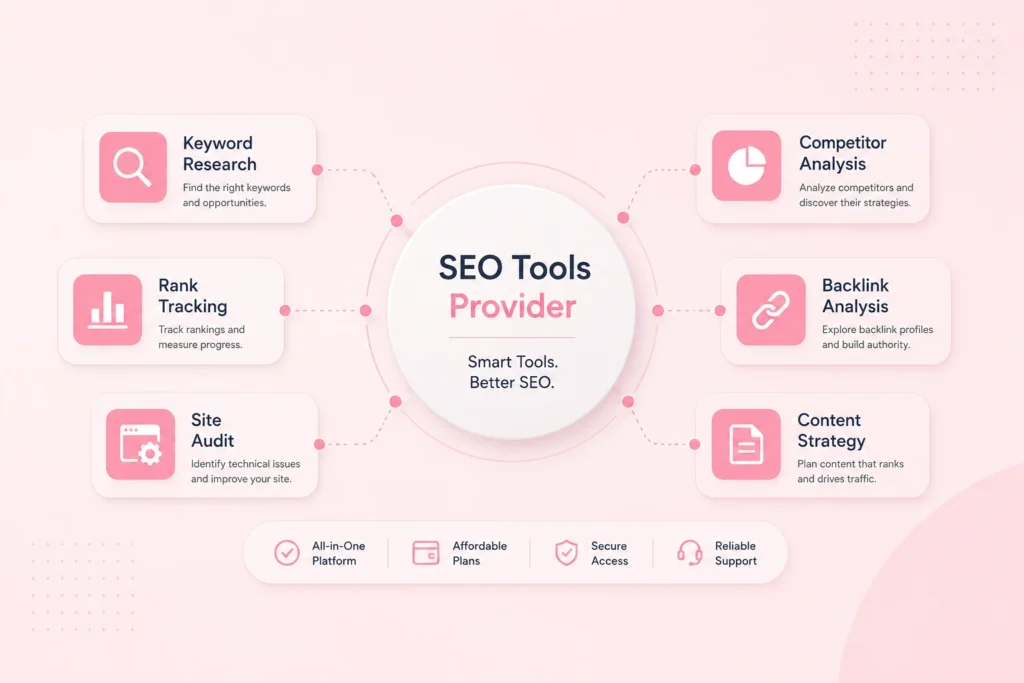
An ecommerce seller needs a wider tool stack than an SEO agency does, and pays more for it. Product research, keyword tracking, listing copy, product photos, ad creatives and video. Six jobs, six subscriptions, and most of them billed in dollars.
That is the problem group buy tools for ecommerce are meant to solve. Shared access to premium software at a fraction of list price, so a small store can afford the same research and content tools a funded brand uses.
This guide covers which group buy tools for ecommerce actually help an online store, what to ignore, and where shared access genuinely does not work. It applies whether you sell from the US, the UK, Europe, the Gulf or India, because the six jobs are the same everywhere. If you sell on a marketplace, run a Shopify store, or you are testing products before committing, the sections below are ordered roughly the way you will need them.
We also say plainly where shared access does not work and where buying officially is the better call, because for a fair number of sellers it is.
 WebToolz Team• Updated 31 August 2026 • 16 min read
DISCLAIMER: WebToolz is an independent platform. Software and marketplace names on this page belong to their respective owners and are used for factual description only, no affiliation, endorsement or partnership is implied in either direction.
Nothing here is legal, tax or business advice. Marketplace policies, software terms, catalogues and pricing change often, so check current details directly before you buy anything.
Before comparing any group buy tools for ecommerce, get clear on what you actually need. Most sellers overbuy in one area and have nothing at all in another.
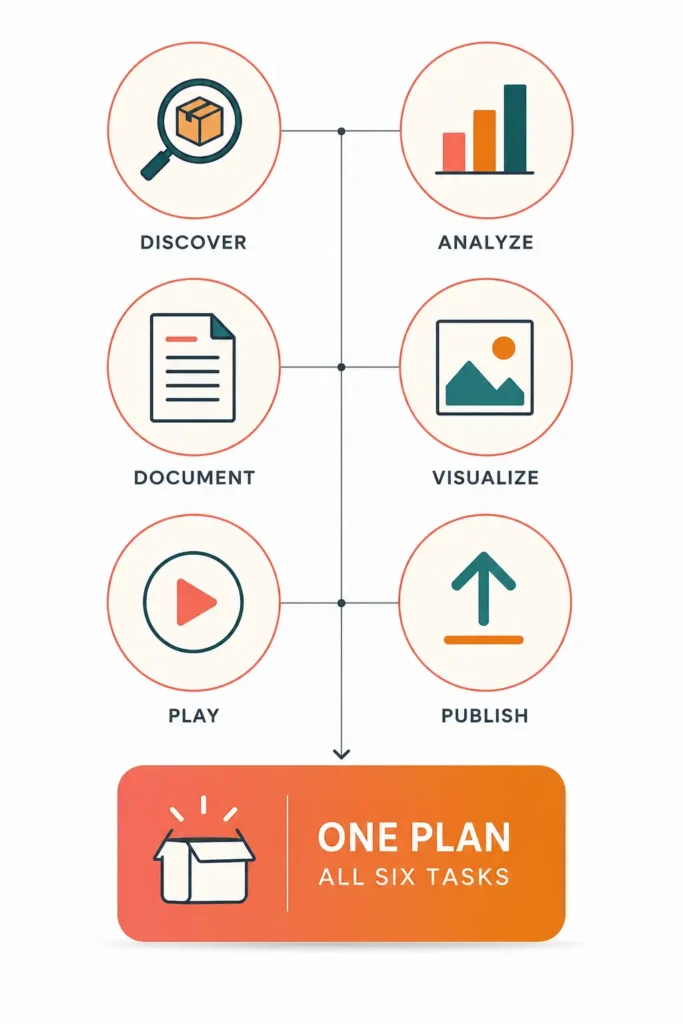
Every store, whatever it sells, has the same six jobs.
Demand data, competition levels, rough margins. This is the job that decides whether the next five jobs are even worth doing. Get it wrong and no amount of good copy saves the listing. If you sell on Amazon, our Helium 10 group buy guide compares the official plans with shared access for product research.
Keyword research, search volume and the exact words buyers type. On a marketplace this drives your listing title and backend terms. On your own site it drives your category pages and blog.
Titles, bullet points, descriptions, category copy. Most sellers write these once and never touch them again, which is usually the cheapest improvement available to them.
Clean product images, lifestyle shots, infographic panels and banners. On a marketplace, images do more selling than text does.
Short product video for listings, ads and social. Video is no longer optional for most categories and it is the single most expensive thing to outsource. Ready-made templates help a lot here: our Envato Elements group buy guide covers video templates, mockups and music.
Where you sit for your main terms, what competitors changed, which listings slipped. Cheap to check, expensive to ignore.
A plan full of SEO software covers jobs two and six well and leaves you with nothing for three, four and five. A creative plan does the opposite. Sellers routinely buy one, discover the gap in month two, then buy a second subscription and lose the saving.
Write down which of the six jobs you currently pay for and which you do badly because you have no tool. That list is what you are shopping for.
Here is the arithmetic that sends sellers looking for group buy tools for ecommerce in the first place. Approximate monthly list prices, in dollars, for one seat each.
| Job | Typical monthly cost | Roughly in rupees |
|---|---|---|
| Product research suite | 39 to 99 dollars | 3,300 to 8,300 |
| Keyword and rank tracking | 99 to 129 dollars | 8,300 to 10,800 |
| AI writing for listings | 20 to 49 dollars | 1,700 to 4,100 |
| Design and image editing | 15 to 55 dollars | 1,300 to 4,600 |
| Stock photos and video | 30 to 99 dollars | 2,500 to 8,300 |
| AI video and voice | 24 to 89 dollars | 2,000 to 7,400 |
| All six | 227 to 520 dollars | 19,100 to 43,500 |
At the low end that is roughly 2,700 dollars a year, or about 2,29,000 rupees. At the high end it is over 6,000 dollars. For a store still proving whether its products sell, that is a serious number.
Prices move and vary by plan tier, so treat these as a guide and check current rates yourself. The point is the order of magnitude, not the exact figure.
Most of these tools bill in dollars. If your card is issued in India you also pay a forex markup and often a cross border fee, usually around 3 to 5 percent on top. On a 300 dollar month that is another 9 to 15 dollars for nothing.
You also get failed card mandates, which is a small annoyance until it locks you out of a tool the morning a listing goes live.
A shared plan covering most of these six jobs runs in the region of a single specialist subscription. That is the whole appeal, and it is real. Our tools pricing guide works through the numbers in both dollars and rupees.
What it does not do is make the tools identical to a personal licence. Section 8 covers exactly where the difference bites, and it matters more for some sellers than others.
Most shared plans are built for one kind of buyer. Here is how the common plan types line up against the six jobs from section 1, so you can see where the gaps fall before you pay for one.
| The job | WebToolz plan | SEO led plan | Creative only plan |
|---|---|---|---|
| Product research | Covered | Sometimes | No |
| Keyword and rank data | Covered | Covered | No |
| Listing and page copy | Covered | Sometimes | No |
| Product images and design | Covered | Rarely | Covered |
| Stock photos and footage | Covered | Rarely | Covered |
| Video and voiceover | Covered | Rarely | Sometimes |
An ecommerce week touches all six rows. An SEO led plan covers one row properly and two more sometimes, which is why so many sellers end up paying for a second subscription in month two. A creative plan has the opposite problem.
That is the whole argument for a broad catalogue, and it is the reason we built ours the way we did. Check any plan you are considering against these six rows before you pay, ours included.
Rather than ask you to trust the word covered, here is roughly what sits behind each row on our plans. The full list is on our pricing page and it runs past 100 tools.
Product research is the row that matters most to a marketplace seller and the row most plans quietly skip. Ours is the reason this page exists.
Our plans run from under 0.20 dollars a day on Basic to under 0.45 dollars a day on Premium, which carries the full 100 plus catalogue. Sellers in India pay the same plans in rupees by UPI, from under 15 rupees a day to under 27 rupees a day.
Set that against the 227 to 520 dollars a month a full stack costs at list price. That gap is the entire argument, and you can check both halves of it yourself.
Whichever plan you choose, get these four answered in writing first:
Our fair use limits are printed as numbers before you pay. Our live chat is staffed round the clock in English and Hindi. Our refund policy has a written outage threshold. We bill in rupees by UPI and in dollars internationally, so neither side pays a forex markup just to reach the plan.
All four are on our site right now and you can verify every one before spending anything. If you want the full provider by provider comparison, that is on our group buy alternatives page.
“Most sellers do not lose money on the tools they buy. They lose it on the job they had no tool for.”
— WebToolz Team
If you sell on a marketplace, the group buy tools for ecommerce you need are different from a store on its own domain. Traffic is already there. The fight is over placement.
Backlink tools and technical site audits. You do not control the site. Money spent on link building software is money not spent on images, and images sell your product.
This is the single most common misallocation we see. Sellers buy an SEO suite because that is what group buy plans are known for, then discover most of it does not apply to a marketplace listing.
Copy this exactly and send it to every provider you are considering, us included:
“Before I buy, four quick questions. Does your catalogue cover product research, keyword data, image editing and video, or only SEO software? What are the daily usage limits as numbers? What happens if a tool is down for 48 hours? And if my account gets locked, how do I reach a human and how fast?”
All four answered in one reply, with specific numbers, is a good sign. Two of four answered with the awkward ones skipped tells you what a real problem will look like later. A reply that takes three days tells you the same thing louder.
Support before a sale is the best version of any provider you will ever see. If it is slow now, that is the ceiling.
Our catalogue covers all five of the things that matter above, which is the main reason marketplace sellers pick us over an SEO led plan. Where we do not lead is depth in any single specialist research suite, and if that one tool is your whole business, buy it officially and own the data properly.
If you sell from your own domain, the job list flips. Nobody sends you traffic. You have to earn every visit, and that makes search work the centre of everything.
Most independent stores put all their effort into product pages and almost none into category pages. Category pages usually have the higher search volume behind them, because people search for the type of thing before they search for the exact thing.
Keyword tools tell you which categories have real demand. That one insight is often worth more than the whole subscription.
A well built guide targeting a real question brings in people who are still deciding, which is exactly when you want to meet them. It costs you research time and writing time, both of which are what a decent tool plan is for.
This is where SEO tooling genuinely pays for an independent store in a way it does not for a marketplace seller.
Worth reading alongside this: Google publishes its own ecommerce documentation for site owners, covering product structured data, category page structure and how listings appear in search. It is free, it comes straight from the source, and it will tell you more about what to fix than any tool subscription will.
Shared plans do break sometimes. Sessions get reset by the software vendor, abuse detection triggers on an unusual login, a renewal fails quietly. Every provider deals with this and it is not a scandal.
What separates them is what happens next. Ask whether there is live chat, what hours it is staffed, and what the unlock process is. If the answer is a contact form that goes to an inbox somebody reads on Monday, you know what a Saturday problem looks like.
We staff live chat round the clock in English and Hindi, across time zones rather than one country office hours, publish a refund policy with an outage threshold, and have more than one way to reach us. Test that before you pay rather than taking our word for it.
This is the half of ecommerce that SEO focused plans ignore, and it is where a lot of stores quietly lose money.
A shopper decides in a second or two whether a listing looks credible. That judgement is almost entirely visual. Good copy then confirms a decision the image already started.
Which means a plan that gives you strong keyword data and nothing for images has helped with the smaller half of the problem.
Stock subscriptions are among the most expensive items on the list and among the least used per rupee. Most stores need a handful of assets a month, not hundreds.
If you genuinely need four clips a year, buy those four outright and skip the subscription. The break even against any shared plan sits somewhere around six to eight downloads a month. Our design tools guide covers the creative side properly.
This is the part sellers skip and it matters more in ecommerce than anywhere else, because your images sit on a commercial listing.
Shared access to a stock library is not the same as a licence issued in your business name. For everyday listing images and social posts that is rarely an issue. For a paid ad campaign at scale, a printed catalogue, or anything a marketplace or a client might ask you to prove, buy the licence properly and keep the receipt.
We would rather say that here than have you find out during a dispute. Our group buy safety guide sets out the full position.
Same standard applied to us, weak spots included. We are one of the group buy tools for ecommerce providers in the table above, so weigh this section accordingly.
Sellers running a real store on a small budget whose week touches research, keywords, listing copy, images and video. Building that from specialists costs several hundred dollars a month and leaves you with six logins and six renewal dates.
It works the same wherever you sell from. Sellers outside India are billed in dollars, sellers inside India pay in rupees by UPI, and support is staffed round the clock rather than to one country office hours.
If one specialist research suite is the core of your business and you make stock decisions on its data, buy that tool officially. The full version, with the full data, in your own name. No shared plan is worth risking an inventory decision on.
We would rather say that now than take your money and lose you in month two.
Every page like this one lists benefits. Here is the other half, which matters more when real stock and real money are involved.
Most software vendors write their terms around one account for one user. Shared access sits outside that. Providers who tell you there is no issue at all are not being straight with you.
In practice the risk is access interruption rather than anything dramatic, and it is the reason plans cost a fraction of list price. You should know that before you pay, not after.
If a marketplace, a supplier or a client asks you to prove you hold a licence for a tool or an asset, shared access will not satisfy that. For most sellers this never comes up. For some it comes up at the worst possible moment.
Every shared plan has caps. Any provider saying unlimited with no numbers is hoping you do not ask. We publish ours, and you should check them against your actual monthly usage before buying rather than after.
It happens on every provider. Plan around it. Do not leave a listing launch depending on a tool you have no backup for, and do not run a client deadline off shared access alone.
Projects, saved keyword lists and tracked competitors usually live inside the tool account, not yours. If access ends, that work is gone. Export anything you would miss, on a schedule, starting now.
One tool used daily, buy it properly on annual billing, which usually saves 15 to 25 percent off the monthly rate. A licence needed in your business name, buy it properly. Everything else, a shared plan is a reasonable way to afford the rest of the stack.
That is the honest rule, and it costs us some sales to publish it.
The right answer changes a lot depending on where your store actually is. Find yourself below.
Do not buy a full stack. Use free search data, free image tools and a single research subscription for one month. Prove something sells first. The most expensive tool spend in ecommerce is the one made before there is a product worth promoting.
This is where group buy tools for ecommerce make the most sense. You need several jobs covered, none of them heavily, and a full specialist stack would eat your margin. Start with the smallest plan that covers your six jobs.
Buy your one critical research tool officially, on annual billing, and use a shared plan for everything around it. Your stock decisions run on that data, so own it properly. The other five jobs do not need that level of certainty.
This is what our Team plan is for. Three users on one plan, at under 0.80 dollars a day, which is roughly what a single specialist seat costs per month at list price. What you do not get is a full admin console with per seat permissions or activity logs, so if you need to audit who ran what, price up proper licences for the two tools your team lives in and use a shared plan for the long tail.
Read your contracts. If a client contract names a tool, or requires licensed assets, buy those officially. Our safety guide covers what to check before you use shared access on client work.
Check which currencies a provider actually bills in. Sellers outside India are billed by us in dollars, so there is no conversion on the way in. Sellers inside India pay the same plans in rupees by UPI, which skips the forex markup and the failed card mandates that come with dollar billing on an Indian card. If a provider only charges in one currency, add roughly 5 percent before comparing anything. Our India pricing page covers the rupee side in detail.
One tool used daily, buy it officially. Four or more tools needed regularly, a shared plan is the sensible way to afford them. Less than one tool a week, use free tiers and buy the odd thing outright.
If you are moving from one provider to another, the order you do it in decides whether it costs you anything.
Keyword lists, tracked competitors, saved projects, exported reports and any images you have not downloaded. All of it lives in the tool account, not yours. Once access ends it is gone, and no provider can get it back for you.
Do this first, before you cancel anything. It takes an hour and it is the only irreversible step in the process.
Keep both plans running for seven days. It costs one extra month at the small end and it means a broken session on day one is an inconvenience rather than a stalled launch.
Do not check that a tool appears in the catalogue. Open it and run the exact task you do every week. Pull a product research report. Export a keyword list. Remove a background. Render a short clip. A tool being listed and a tool working properly for your job are different things.
Count what you actually did last month. Reports pulled, images processed, words generated, clips rendered. Then compare that to the published caps. If a provider will not give you numbers, that is your answer.
Take one month first, whatever the discount looks like. Almost every bad outcome in this market traces back to an annual payment made before the provider had earned it. A month costs a small premium and tells you more than every comparison page combined, including this one.
Same advice applies. Take the smallest plan for one month, run your real week through it, and check our published limits against what you actually used. If it does not fit, our refund policy is written down with a stated outage threshold.
You can also just message us the four questions from section 4 before spending anything.
Group buy tools for ecommerce are shared-access plans that cover the software online sellers use, for one monthly price instead of a subscription per tool. They cover the six jobs every store has:
On WebToolz, bundles start at ₹449 / $5.99 a month, and a dedicated Amazon product research tool is available as a single-tool plan from ₹399 / $4.99. Shared access is for research and creative work; use official accounts for anything tied to your own store data.
Shared access to premium software at a fraction of list price, covering the jobs an online store has: product research, keyword data, listing copy, image editing, stock assets and video. Instead of six separate subscriptions billed to you, a provider holds the plans and members share access under fair use limits.
Usually yes if you need four or more tools regularly, because a full stack at list price runs 227 to 520 dollars a month. If you only use one tool daily, buy it officially on annual billing instead. If you are still testing products and have no sales, use free tiers first.
Six jobs: finding products worth selling, knowing what buyers search for, writing listings, making the product look good, video, and tracking rankings and competitors. Marketplace sellers should weight research and images heavily. Independent stores should weight keyword research and content.
Less than you might think. Backlink tools and technical site audits do not apply because you do not control the site. Marketplace keyword data does matter, and so do images and video. Buying a full SEO suite for marketplace selling is the most common misallocation we see.
The main risk is access interruption, not anything dramatic. Shared access sits outside most software vendors terms of service, which is why plans cost a fraction of list price. Do not run stock decisions or client deadlines on it alone, and buy officially where a licence in your business name is required.
For everyday listing images and social posts it is rarely an issue in practice. Shared access is not a licence issued in your business name though, so for large paid ad campaigns, printed catalogues or anything where you may be asked to prove licensing, buy the licence properly and keep the receipt.
A shared plan covering most of the six jobs typically costs around what one specialist subscription costs at list price. Compare the plan against your actual six jobs rather than against a tool count, and check the published fair use limits before you buy.
Usually it means there are limits that have not been published. Every shared plan has fair use caps because the underlying accounts have caps. Ask for the numbers. A provider that prints them before you pay is telling you something useful about how the rest of the offer is run.
Sessions break on every shared plan. The question is who answers and how fast. Ask whether live chat is staffed, what hours, and what the unlock process is. Test it before you pay by messaging a question at an awkward hour and timing the reply.
Yes, unless you export first. Saved projects, tracked competitors and keyword lists live inside the tool account, not yours. Export everything before you cancel anything. It is the only irreversible step in switching.
Monthly with a new provider, always, whatever the annual discount looks like. Almost every bad outcome in this market traces back to an annual prepayment made before the provider had earned it. Once a provider has proved itself over a few months, annual billing is reasonable.
Yes. Sellers outside India are billed in US dollars, so there is no conversion on the way in and no country restriction on who can join. Sellers inside India pay the same plans in rupees by UPI, which avoids the forex markup and failed card mandates that come with dollar billing on an Indian card. Support is staffed round the clock across time zones rather than to one country office hours.
Buying shared access is not a criminal matter for the buyer. It does usually sit outside the software vendor terms of service, which is a contractual issue between the provider and the vendor. The practical consequence for you is access interruption. Our safety guide covers the position in full.
A broad plan, in most cases. An ecommerce week touches research, keywords, listing copy, images and video. An SEO led catalogue covers two of those five well and leaves you buying a second subscription for the rest, which cancels out the saving you came for.
Catalogues vary a lot on this, so check specifically rather than assuming. Many group buy plans are built around SEO software and treat marketplace research as an afterthought. Ask each provider directly whether research tools are included before you buy.
Read your client contracts first. If a contract names a specific tool, or requires licensed assets, buy those officially. For internal research and drafting, shared access is usually fine. The risk is contractual rather than technical.
Use criteria you can verify: does the catalogue cover all six of your jobs, are fair use limits published as numbers, is support staffed round the clock, is there a written refund policy with an outage threshold, and can you pay in your own currency. Send the same four questions to each provider and compare the replies.
No. WebToolz is an independent platform with no affiliation, partnership or endorsement relationship with any marketplace or software vendor named on this page. All names belong to their respective owners and are used for factual description only.
Most sellers do not lose money on the tools they buy. They lose it on the job they had no tool for, usually images or video, while paying for SEO software that a marketplace listing barely uses.
So start from the six jobs, not from the provider. Every comparison of group buy tools for ecommerce is easier once that list exists. Write down which ones you currently pay for and which ones you do badly because you have nothing. Then look for the plan that closes the gaps, and check its published limits against what you actually used last month.
Comparing providers? Send all of them the four questions in section 4, including us, and start with the smallest plan that covers your six jobs.
DISCLAIMER: WebToolz is an independent platform with no affiliation, partnership or endorsement relationship with any marketplace or software vendor referred to on this page. All product names are trademarks of their respective owners, used here for factual description only. Prices, catalogues and policies change frequently, so verify current details directly. We sell a group buy plan, so weigh this page accordingly. Nothing here is legal, tax or business advice.
Research, keywords, writing, design, stock and video in one plan. Published fair use limits, round the clock live chat, and a written refund policy.
Compare the plans against your six jobs, and take one month rather than one year.