
Adding a second person to an SEO suite usually costs more than the first subscription did. Seats on the major platforms run from 45 to 100 dollars each per month, on top of the base plan. For a three person team that is a line item most small agencies simply cannot justify.
So people search for multi user SEO software and find two completely different kinds of answer. This page explains both, says plainly which one we are, and helps you work out which you actually need.
Not every option sold as multi user SEO tools is the same thing. If you need role based permissions, audit logs and client facing reports, you need a real platform and we will tell you so. If you need three people to reach the same set of tools without paying three times, that is a different problem with a much cheaper answer.
This is a guide to shared SEO tools and per seat licences side by side, written for anyone comparing SEO tools for teams on a small budget. Everything below applies wherever your team sits. Sellers and agencies outside India are billed in US dollars, teams inside India pay in rupees by UPI, and support runs 18 hours a day, 7 days a week, in English and Hindi.
 WebToolz Team• Updated 9 September 2026 • 15 min read
DISCLAIMER: WebToolz is an independent platform. Software names on this page belong to their respective owners and are used for factual description only, no affiliation, endorsement or partnership is implied in either direction.
Seat prices and plan features change often, so check current rates directly with each vendor. Nothing here is legal or contractual advice, and section 5 explains why that matters for client work.
The phrase covers two different products. Buying the wrong one is the most common mistake here, so it is worth thirty seconds to work out which you are after.
One account, several named users, each with their own login and their own permission level. An owner can add or remove people, decide who sees what, and see who did what. Reports can carry a client logo.
This is what an enterprise buyer means by multi user SEO software. It is genuinely valuable and it costs accordingly, because you are paying per seat for exactly that control. Well-known examples of this kind of multi user SEO software include Semrush, Ahrefs, SE Ranking, Moz Pro and AgencyAnalytics, which sell extra seats, shared projects and client reporting on their own team plans.
A small team needs to reach the same twenty tools. Nobody needs to audit anybody. Nobody is generating white label client reports. They just need the software to be available to three people instead of one, without paying three subscriptions.
This is a cost problem wearing the costume of a permissions problem, and it has a far cheaper answer.
Four questions. If you answer yes to any of them, you need meaning one and should buy proper seats.
If all four are no, you are in meaning two, and the rest of this page is written for you.
WebToolz is meaning two. Our Team plan lets three people reach the same catalogue of over 100 tools. It is not a permissions console and we are not going to pretend otherwise. Section 6 lists exactly what you do not get.
We would rather lose the sale than have you discover that in week two.
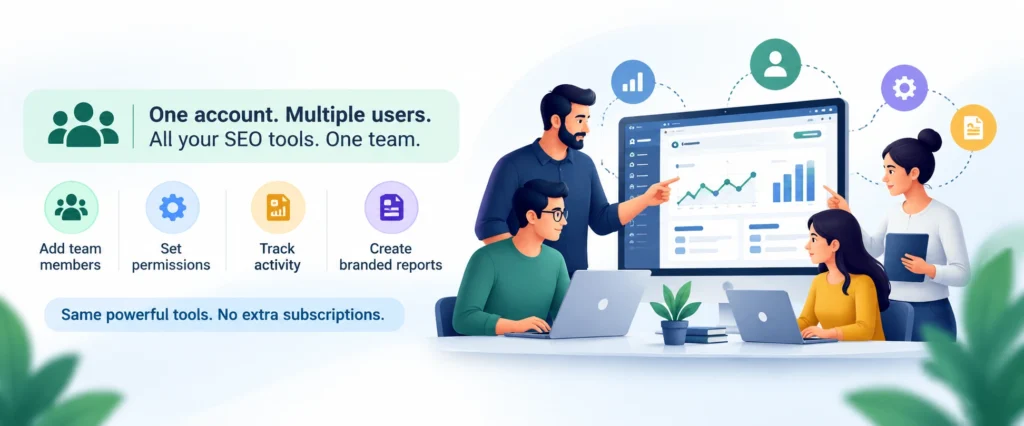
This is the arithmetic that sends people looking for multi user SEO software in the first place. Approximate monthly figures, in US dollars, for a three person team.
| What you are buying | One person | Three people |
|---|---|---|
| Base plan on a major SEO suite | 99 to 139 dollars | 99 to 139 dollars |
| Two extra seats on that suite | none | 90 to 200 dollars |
| AI writing tool | 20 to 49 dollars | 60 to 147 dollars |
| Design and image tools | 15 to 55 dollars | 45 to 165 dollars |
| Stock photos and footage | 30 to 99 dollars | 30 to 99 dollars |
| Monthly total | 164 to 342 dollars | 324 to 750 dollars |
Going from one person to three does not double the bill. It roughly doubles or triples it, because most tools charge per seat rather than per company. Extra seats on the big suites run 45 to 100 dollars each per month on their own.
Over a year, a three person stack at the low end is about 3,900 dollars. At the high end it is close to 9,000. For a three person agency, that is a salary component, not a software line.
Our AI Premium Team plan covers three users on the full catalogue of over 100 tools for under 0.80 dollars a day. That is roughly 24 dollars a month for the team, or about 8 dollars per person.
Teams in India pay the same plan in rupees by UPI, at under 60 rupees a day, which avoids the forex markup and failed card mandates that come with dollar billing on an Indian card.
Roughly 8 dollars a seat against 45 to 100 dollars a seat is a large difference, and it exists for a reason. You are not getting the same product. You are getting access to the software without the licence, the permissions layer or the vendor relationship.
Whether that trade is right for you is the whole point of sections 5 and 6. For a lot of small teams it is obviously right. For some it is obviously wrong.
There are only three real options. Here they are side by side on the things that decide it.
| What matters | WebToolz Team plan | Per seat licences | One login passed around |
|---|---|---|---|
| Cost for 3 people | About 24 dollars a month | 324 to 750 dollars a month | One subscription |
| Tools available | 100 plus, one plan | Only what you bought | Only what you bought |
| Separate sessions per person | Yes | Yes | No, they collide |
| Usage limits published | Yes, as numbers | Yes, in the plan | Shared between you |
| Licence in your company name | No | Yes | No |
| Permissions and audit logs | No | Yes | No |
| White label client reports | No | Often yes | No |
We have deliberately marked ourselves down on licensing and permissions, because those are real gaps and you should see them in the same table as the price. A comparison where the author wins every row is not a comparison.
Passing one login between three people is the worst of all worlds and a lot of small teams do it anyway. Sessions fight each other, work gets overwritten, the account trips abuse detection and gets locked, and everyone loses a morning.
It also breaks the same terms of service that shared plans do, while costing you more and giving you less. If you are doing this today, either buy seats or use a plan built for several people.
Cost decides it only if the answer to all four questions in section 1 was no. If any answer was yes, buy the seats and stop reading comparison pages, this one included.
“Most teams do not have a permissions problem. They have a price problem wearing a permissions costume.”
— WebToolz Team
When people compare SEO tools for teams they tend to buy for the team they hope to be rather than the team they are. Here is what three people realistically need.
Not their own licence necessarily, but their own working session. Two people in one account overwrite each other and trigger security locks. Any option you consider has to give each person a separate session, and this is precisely where passing one login around fails.
In almost every small team there is one person who lives in the research data all day and two who dip in and out. The person who lives in it should have the proper licence. The two who dip in and out do not need one.
That split is the cheapest sensible structure for a small team, and it is worth planning for deliberately rather than discovering by accident.
If you can see everyone in the room or in one chat channel, you do not need software to tell you who ran a report. Permission layers earn their price somewhere around ten people, not three.
The friction in small teams is rarely permissions. It is one person having a tool the other two do not, so work backs up behind them. A shared plan covering everything for everyone removes that bottleneck for the price of a takeaway.
That is what we would tell a friend, and it involves you buying less from us than the alternative.
If you do work for clients, this section matters more than the pricing. Get it wrong and the saving is irrelevant.
Many agency contracts contain a clause requiring you to hold valid licences for software used on the engagement. Some name specific platforms. If yours does either, shared access does not satisfy it, whatever it costs.
This is a contractual question, not a technical one. No provider can answer it for you, and any provider telling you it is fine has not read your contract.
If a plan works by passing round one shared password, every member can see the keyword lists and client domains everybody else is researching. For an agency that is a confidentiality problem, not an inconvenience.
Ask any provider directly whether each user gets an isolated session or whether the account is shared. It is one question and the answer tells you whether they have thought about business customers at all. Ours are isolated, and you can test that on day one with two people logged in at once.
For the reporting half of agency work, Google gives you a genuine multi user tool at no cost. Search Console supports multiple users with real permission levels, owner, full and restricted, per property. Paired with a free dashboard tool it covers client reporting on real query data rather than estimates.
We would rather point you at that than sell you something for a job it does not do. Use it for reporting and a shared plan for the research and production work around it.
Buy the one or two platforms your contracts and deliverables depend on. Use a shared plan for the wide, shallow long tail. Use Search Console for client facing performance data. That combination is both defensible and cheap, and our safety guide sets out the full position.
Everything above is the case for shared SEO tools. Here is the case against, stated as plainly as we can manage, because it decides whether multi user SEO software sold this way suits you at all.
Our Team plan gives three people access. It does not let you set what each person can see, restrict exports, or look up who ran what last Tuesday. If you need any of that, you need per seat licences on a real platform.
You are reaching the software, not holding a licence for it. If a client, a marketplace or an auditor asks you to prove you are licensed, a shared plan cannot help. This is the single most important limitation on the page.
No client logo on exports, no branded dashboards, no custom report templates. If your deliverable is a branded PDF, buy the platform that produces one.
No SSO, no SCIM, no departmental billing, no procurement paperwork. For a three person team none of that matters. For a company with an IT policy, all of it does.
Every shared plan has caps because the underlying accounts have caps. We publish ours as numbers before you pay, and on a Team plan those numbers cover the team rather than each person separately. Count what your team actually used last month and check it against the published figures before buying.
Any provider promising unlimited with no numbers is hoping you do not ask.
Shared access sits outside how most software vendors write their terms, which are usually one account for one user. That is why plans cost a fraction of list price. The practical consequence is access interruption rather than anything dramatic, but you should know it going in.
Vendor resets, abuse detection on an unusual login, a quiet renewal failure. It happens on every provider including us. Do not put a client deadline on a tool you have no fallback for, and ask any provider what their unlock process is before you need it.
Saved projects, tracked keywords and reports live inside the tool account, not yours. If access ends, that work is gone. Export anything you would miss, on a schedule, from the first week.
Same standard applied to us, with section 6 still standing.
Two to three person agencies, small in house marketing teams, and founders working with a freelancer or two. Teams whose real constraint is that one person has a tool the others do not, rather than teams needing governance.
It works the same wherever your team sits, which is why we bill in two currencies and staff support 18 hours a day across time zones.
Anyone who answered yes to a question in section 1. Anyone whose client contracts name software. Anyone above roughly six people, where permissions genuinely start earning their cost. Anyone with an IT policy requiring single sign on.
For those teams, per seat pricing is not a rip off. It is the correct purchase, and section 8 says when.
Per seat pricing has a bad reputation on pages like this one. It is often the right answer, and pretending otherwise would be dishonest.
If your team commits budget, stock or a client strategy based on what a tool reports, buy that tool properly. Full data, full features, in your own name. The saving on a shared plan is never worth a decision made on partial data.
No further analysis needed. The contract decides.
Around this size, not knowing who did what starts costing real time. Duplicated work, overwritten projects, no way to hand over cleanly. That is the point where a permissions layer pays for itself.
Enterprise clients and procurement teams ask. If your growth depends on winning that kind of client, own the licences and treat it as a cost of sale.
One proper licence for the tool that drives decisions, on annual billing. A shared plan for the wide, shallow rest. Search Console and a free dashboard for client reporting. That is cheaper than full seats, more defensible than shared access alone, and it is what we would run ourselves.
Our tools pricing guide works through the numbers in dollars and rupees.
The right answer changes sharply with headcount. Find yourself below.
| Team size | Suggested setup | Why |
|---|---|---|
| 1 person | Basic (₹449) or Premium (₹849) | One seat is enough; move to the Team plan when the second person starts |
| 2–3 people | AI Premium Team (₹1,799/month, 3 users) | Each person gets their own session on the full 100+ tool catalogue |
| 4 people | AI Premium Team + Additional IP (₹99/month) | Adds a fourth member without buying a second plan |
| 5–6 people | Per seat licence for the heavy users + a shared plan for the rest | Depth where the data drives decisions, breadth everywhere else |
| 7+ people | Per seat licences on a team platform | Roles, audit trails and handover start to matter more than price |
Buy for today. A single plan is fine, and you can move to a Team plan the week the second person starts. Buying team capacity ahead of the team is the most common early waste.
This is where a shared Team plan makes the most sense. Under 0.80 dollars a day for three users on the full catalogue, against 324 to 750 dollars a month for the same coverage in seats. Nobody at this size needs permissions, and everybody needs the same tools.
The awkward middle. The Team plan covers three people, and a fourth can be added through the Additional IP add-on at ₹99/month. Beyond four, a shared plan no longer covers everyone, and full seats are still expensive. Split it: proper licences for the two people who live in the data, a shared plan for the rest, and revisit every quarter.
Buy seats. At this size the cost of not knowing who did what exceeds the licence cost. You need roles, handover and an audit trail, and no shared plan provides them.
Contracts decide before headcount does. Read section 5 first. If a client contract names software, that question is settled regardless of how many people you are.
Check which currencies a provider actually bills in. Teams outside India are billed by us in dollars, so there is no conversion on the way in. Teams inside India pay the same plans in rupees by UPI, which skips the forex markup and failed card mandates that come with dollar billing on an Indian card. Our India pricing page covers the rupee side in detail.
Three people or fewer with no governance needs, take a shared Team plan. Seven or more, buy seats. Between the two, run both and review it quarterly.
Most of the pain teams report with shared SEO tools comes from setup, not from the tools themselves. Half an hour spent here saves weeks.
Not a shared inbox, not a founder who never logs in. One named owner who handles billing, renewals and support tickets. Accounts with no clear owner are the ones that lapse quietly.
Never pass one login between people, even for a week. Sessions collide, work is overwritten and the account trips security locks. If a plan cannot give each person a session, it is not a team plan.
Without permissions, convention does the work. Write down who owns keyword research, who owns content, who owns reporting. Two people running the same audit twice is the actual cost of no audit log, and a shared document fixes it.
Pick a day each month. Export keyword lists, reports and any assets nobody has downloaded. This is the only irreversible risk in shared access and it takes twenty minutes to neutralise.
Fair use caps on a team plan usually cover the team as a whole. Three people generating images all afternoon will reach a daily cap faster than one person will. Count last month honestly, then compare it to the published numbers.
Whatever the annual discount looks like. Run your real week through it with all three people at once, then decide. Almost every bad outcome in this market traces back to an annual payment made before the provider had earned it.
Send a question at an awkward hour and time the reply. Support before a sale is the best version of any provider you will ever see, so if it is slow now, that is the ceiling.
The phrase covers two different things. One is a platform with named users, role based permissions and audit logs, sold per seat. The other is several people reaching the same set of tools without paying several subscriptions. The first solves a governance problem, the second solves a cost problem. Work out which you have before you buy.
Roughly 45 to 100 dollars per seat per month on top of the base plan, depending on the platform and tier. For a three person team that turns a 99 to 139 dollar subscription into 324 to 750 dollars a month once the wider stack is included. Rates change, so check current pricing directly.
No, and any provider saying otherwise is overselling. A shared plan gives several people access to the software. It does not give you permission levels, audit logs, white label reports, single sign on or a licence in your company name. If you need any of those, buy per seat licences.
Three users on the AI Premium Team plan, plus a fourth through the Additional IP add-on at ₹99/month, at under 0.80 dollars a day for the base plan, with access to the full catalogue of over 100 tools. Teams in India pay the same plan in rupees by UPI at under 60 rupees a day. Above roughly six people we would tell you to buy seats instead.
With us, yes. Each user gets an isolated session rather than a shared password, so your keyword lists and client domains stay private to whoever is working on them. Always ask a provider this directly, because plans that pass one login around cause session collisions and account locks.
Read your client contracts first. Many require you to hold valid licences for software used on the engagement, and some name specific platforms. Where that applies, shared access does not satisfy it. Internal research and drafting is usually fine. Anything a client could audit should be licensed properly.
Sessions fight each other, work gets overwritten, and simultaneous logins from different locations trip abuse detection and lock the account. It also breaks the same terms of service a shared plan does, while costing more and delivering less. Either buy seats or use a plan built for several users.
On a team plan the caps normally cover the team as a whole rather than each person separately. Three people generating images all afternoon reach a daily cap faster than one person does. Count what your team actually used last month and compare it to the published numbers before buying.
Not on a shared plan. No client logo on exports, no branded dashboards, no custom templates. If your deliverable is a branded report, buy the platform that produces one. For client facing performance data, Search Console with a free dashboard tool covers most of what agencies need at no cost.
Google Search Console supports multiple users with genuine permission levels, owner, full and restricted, per property, at no cost. Paired with a free dashboard tool it handles client reporting on real query data. It will not do keyword research or competitor analysis, but for the reporting half of the job it is better than most paid options.
When the data drives real budget or stock decisions, when a client contract names the software, when you pass roughly six people, or when procurement requires single sign on. In those cases per seat pricing is the correct purchase rather than an overcharge.
One proper licence, on annual billing, for the tool your team genuinely lives in. A shared plan covering the wide, shallow rest of the stack. Search Console and a free dashboard for client reporting. That is cheaper than full seats and more defensible than shared access alone.
Yes. Teams outside India are billed in US dollars with no conversion on the way in, and there is no country restriction on who can join. Teams inside India pay the same plans in rupees by UPI. Support runs 18 hours a day, 7 days a week, across time zones rather than to one country office hours.
Change the account credentials the same day and export anything that person owned first. Without permission controls there is no way to revoke one person individually, which is a genuine limitation of shared plans and a reason larger teams should buy seats.
Yes, unless you export first. Saved projects, tracked keywords and reports live inside the tool accounts rather than yours. Pick one day a month to export everything the team would miss. It is the only irreversible risk in shared access.
Monthly with a new provider, whatever the annual discount looks like. Run your real week through it with everyone logged in at once, then decide. Almost every bad outcome in this market traces back to an annual prepayment made before the provider had earned it.
Buying shared access is not a criminal matter. It does usually sit outside software vendor terms of service, which is a contractual issue between the provider and the vendor. The practical consequence for you is possible access interruption. For client work the contractual question in section 5 matters more than the legal one.
No. WebToolz is an independent platform with no affiliation, partnership or endorsement relationship with any software vendor referred to on this page. All product names belong to their respective owners and are used for factual description only.
Choosing multi user SEO software starts with answering the four questions in section 1 honestly. Licence in your name, audit trail, restricted access, branded reports. If any answer is yes, buy per seat licences and stop comparing prices, because the cheap option cannot do the job.
If every answer is no, you have a cost problem rather than a governance problem, and paying 45 to 100 dollars a seat to solve it is the wrong purchase. Three people on one shared plan at roughly 8 dollars each is the same access without the layer you were never going to use.
Either way, buy one month before you buy a year, run your whole team through it at once, and check the published limits against what you actually used last month.
Comparing options? Look at the Team plan against your real headcount and your real contracts, not against a tool count.
DISCLAIMER: WebToolz is an independent platform with no affiliation, partnership or endorsement relationship with any software vendor referred to on this page. All product names are trademarks of their respective owners, used here for factual description only. Seat prices, plan features and policies change frequently, so verify current details directly with each vendor. We sell a shared tools plan, so weigh this page accordingly. Nothing here is legal or contractual advice.
Over 100 tools for three people, isolated sessions per user, fair use limits printed as numbers, and live chat 18 hours a day. Section 6 lists what you do not get.
Compare the Team plan against your real headcount, and take one month rather than one year.